How to Install IPTV Smarters Pro on Windows PC

This guide shows you how to install and use IPTV Smarters Pro on Windows directly from the Microsoft Store.

Buttons

Step 1 – Install IPTV Smarters Pro on Windows

You can install the app in

  1. Open this link:
    Download IPTV Smarters Pro 1.1.2

  2. Click Get.

  3. Install the app on your PC.

How to Set Up IPTV Smarters Pro

1. Launch IPTV Smarters Pro.

2. Choose your device type:
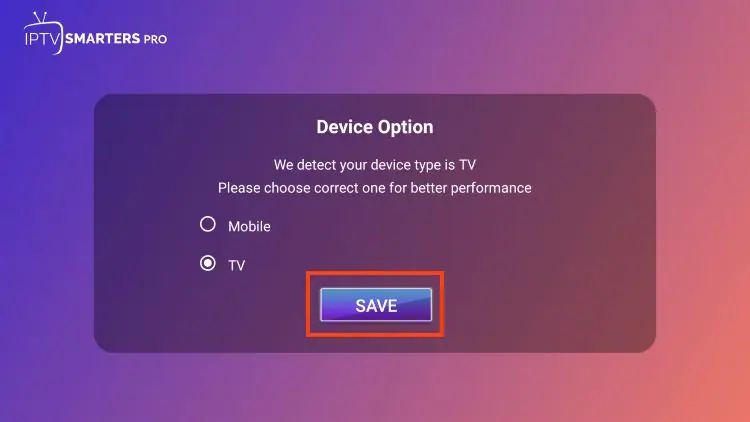
3. Select TV for Firestick / Android TV / Google TV, then click Save.

  1. Read the notice that Smarters Pro does not provide content and click Accept.

  2. Choose your login method:

Option 1 – Xtream Codes API (Recommended)

1. Select Login with Xtream Codes API.
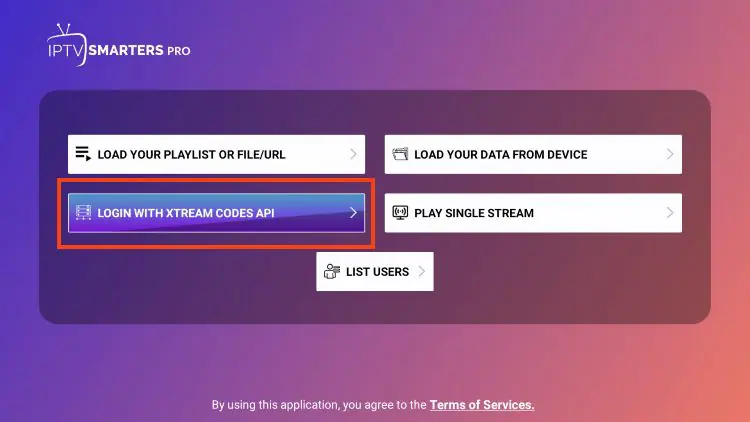
2. Enter:

    • Server URL

    • Username

    • Password

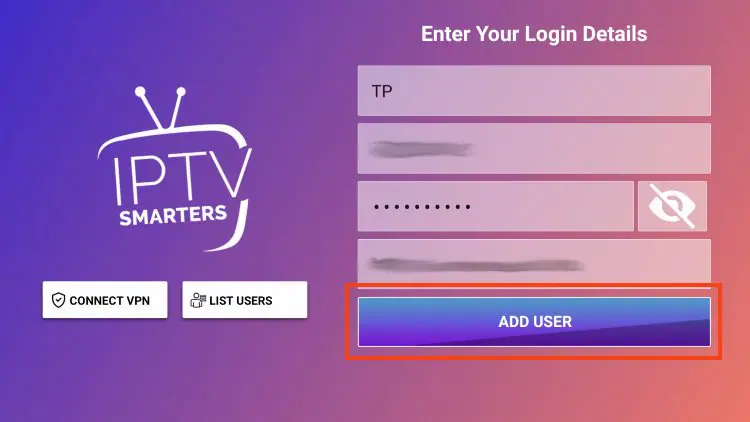
3. Click Add User and wait for the confirmation message.

Can I Use IPTV Smarters Pro on Other Devices?

Yes. Besides Android, IPTV Smarters Pro also works on:

  • Smart TVs
  • Android TV Boxes
  • Fire TV Stick (via APK)

If you’re searching for IPTV Smarters Pro for Smart TVs or IPTV Smarters Pro on Firestick, the same activation method using MAC address applies.

Request a Free IPTV Trial

Enter your email to request a free IPTV trial.
You will receive a confirmation email to verify your address before we send your trial details.

Newsletter Form (#3)
Support
Live Chat Online

Support & Free Trial

Contact us for technical support
or to request a free IPTV trial.

WhatsApp Support
Fast Support
Telegram Support
Fast Support
Live Chat
Fast Support
Email Support
Slower Response