Method: Install via Apple App Store
1. Open the App Store on your iPhone or iPad.
2. Tap the search icon and type:
Hot IPTV or Hot Player IPTV
3. Select the app from the search results.
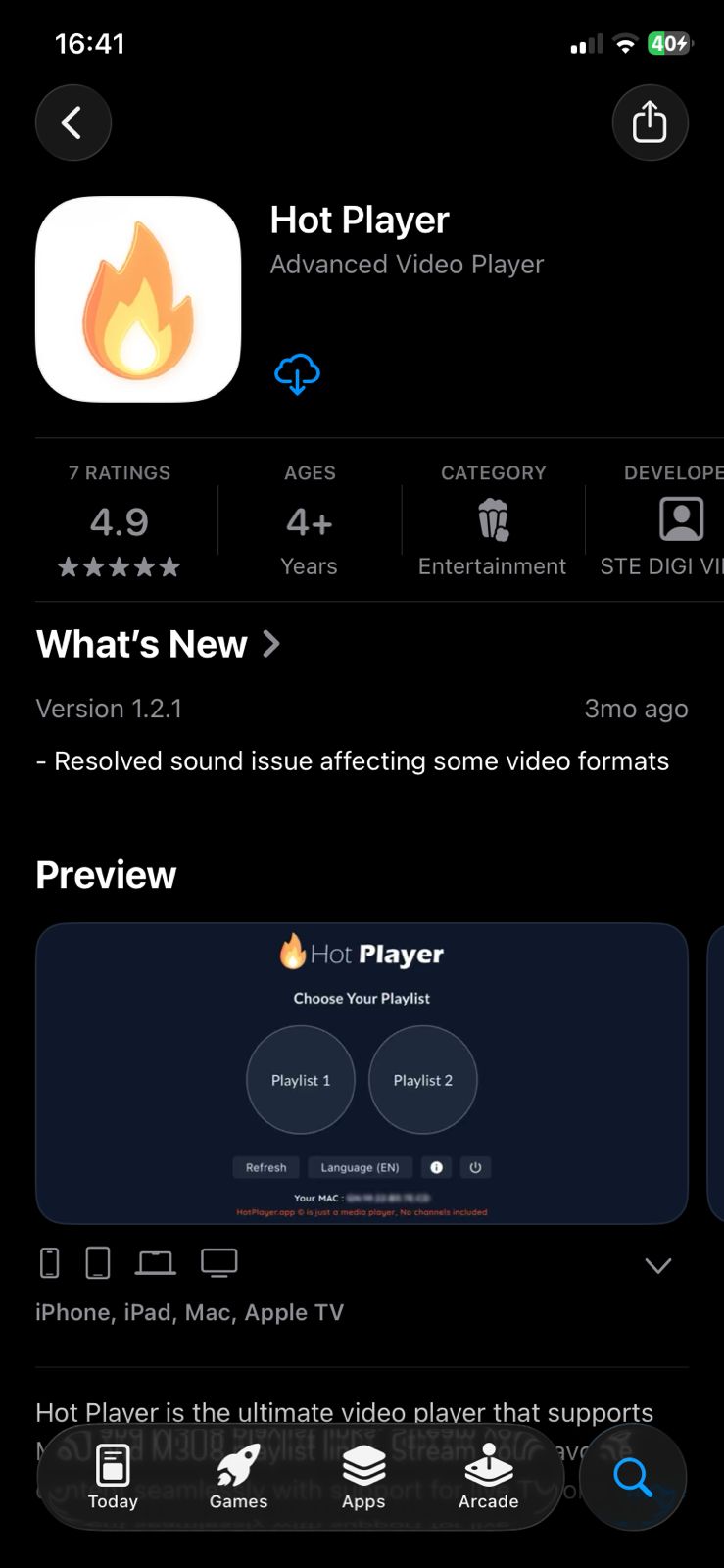
4. Tap Get and confirm the download using Face ID, Touch ID, or your Apple ID password.
5. Wait for the installation to finish.
Step 2 – Open Hot IPTV App
After installation:
1. Open Hot Player IPTV.
2. The app will display your MAC Address on the screen.

3. Keep this MAC address — you will need it for activation.
Option 2: Activate Hot IPTV Yourself
1. Open this page in your browser: https://hotplayer.app/upload
2. Enter your MAC Address.

3. Submit the form.
Your Hot IPTV player activation will be completed in seconds.
Step 4 – Add M3U Playlist to Hot IPTV
Once activation is done, it’s time to add your IPTV playlist.
1. Choose M3U as your setup method.
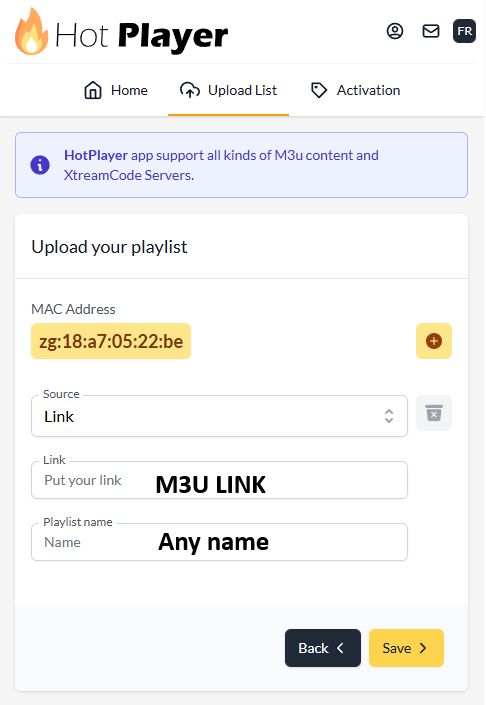
Enter:
- Playlist Name
- M3U URL (provided after subscription)
2. Save your settings.
This connects your IPTV service to Hot Player IPTV.
Step 5 – Reload Hot IPTV and Start Watching
- Go back to the main screen of Hot IPTV.
- Tap Reload.
- Wait for channels and content to load.
 That’s it! You can now enjoy live TV, movies, and series using Hot IPTV on Android.
Common Hot IPTV Problems & Fixes
 Hot IPTV stream failed
 Hot IPTV stream failed
- Check your internet connection.
- Reload the playlist.
- Make sure your M3U link is valid.
Hot IPTV app not working
- Restart the app.
- Clear cache:
Settings → Apps → Hot IPTV → Clear Cache
Activation not completed
- Verify your MAC Address.
- Re-submit it at:
https://hotplayer.app/upload - Or contact support.