This guide shows you how to install and use IPTV Smarters Pro on Windows directly from the Microsoft Store.
Step 1 – Install IPTV Smarters Pro on Windows
You can install the app in
Open this link:
Download IPTV Smarters Pro 1.1.2Click Get.
Install the app on your PC.
How to Set Up IPTV Smarters Pro
1. Launch IPTV Smarters Pro.
2. Choose your device type:
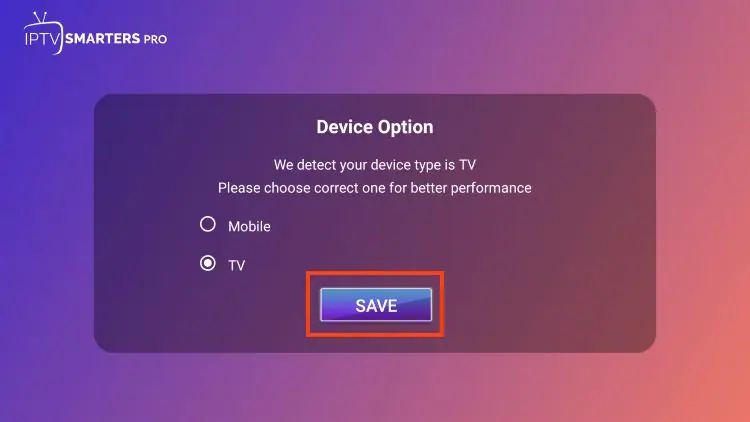
3. Select TV for Firestick / Android TV / Google TV, then click Save.
Read the notice that Smarters Pro does not provide content and click Accept.
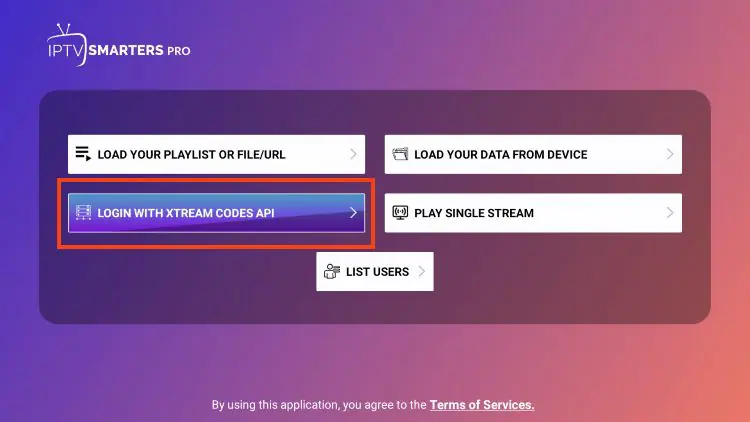
Choose your login method:
Option 1 – Xtream Codes API (Recommended)
1. Select Login with Xtream Codes API.
2. Enter:
Server URL
Username
Password
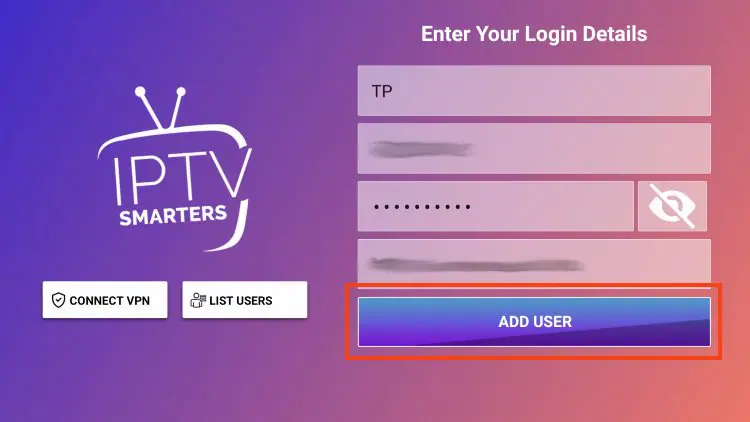
3. Click Add User and wait for the confirmation message.

Can I Use IPTV Smarters Pro on Other Devices?
Yes. Besides Android, IPTV Smarters Pro also works on:
- Smart TVs
- Android TV Boxes
- Fire TV Stick (via APK)
If you’re searching for IPTV Smarters Pro for Smart TVs or IPTV Smarters Pro on Firestick, the same activation method using MAC address applies.