How to Install SmartOne IPTV on Hisense Smart TV (Complete Setup Guide)

This guide will show you how to install and activate SmartOne IPTV on Hisense Smart TVs step by step.

If you are looking for the best way to use SmartOne IPTV on VIDAA OS, add your IPTV playlist, and start streaming live TV, movies, and series, this tutorial is made for you.

What Is SmartOne IPTV?

SmartOne IPTV is a powerful media player designed for Smart TVs.
It allows users to watch IPTV content using:

  • M3U playlists
  • Xtream Codes API
  • Online playlist generator

The SmartOne IPTV app itself does not provide channels — it only works as a player. You must add your own IPTV subscription to start watching.

SmartOne IPTV is fully compatible with Hisense Smart TVs running VIDAA OS, making it one of the best IPTV apps for Hisense TVs.

Step 1 – Download SmartOne IPTV on Hisense Smart TV

1. Turn on your Hisense Smart TV.

2. Open the VIDAA App Store.
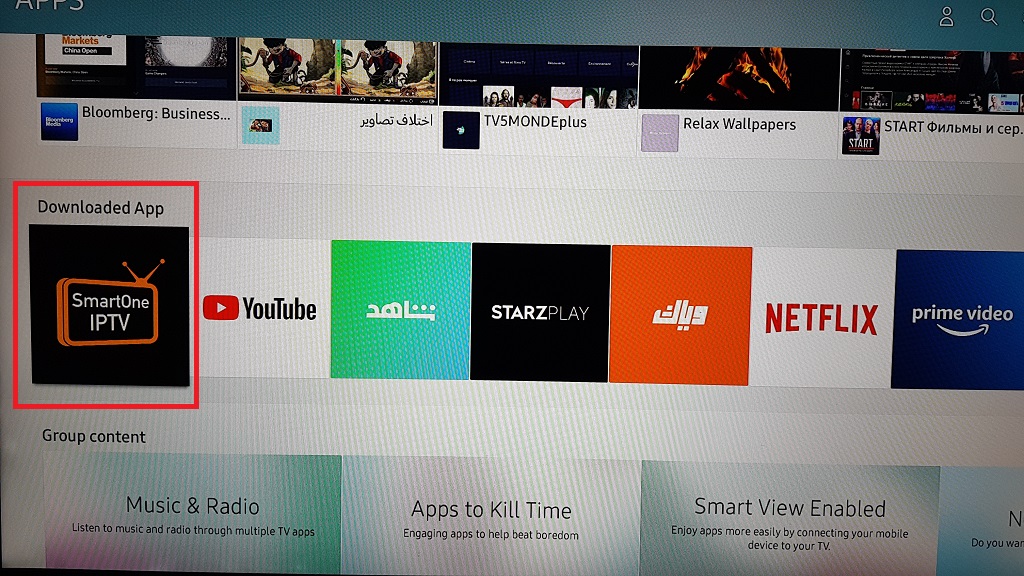
3. Use the search bar and type SmartOne IPTV.

4. Select the app and click Install.

5. Wait for the installation to finish.

✅ The SmartOne IPTV app is now installed on your Hisense TV.

Step 2 – Launch SmartOne IPTV and Get Your MAC Address

1. Open SmartOne IPTV on your TV.
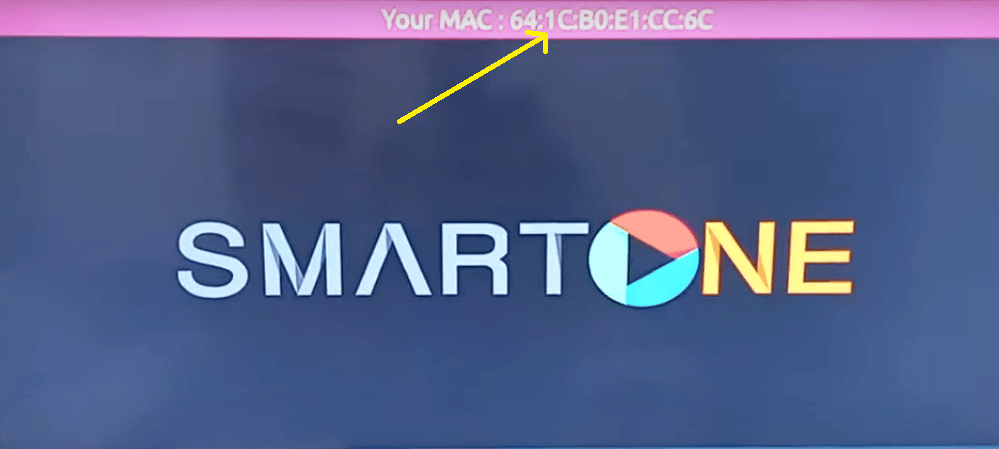
2. At the first launch, the app will display:

    • Your MAC Address

3. Write them down — you will need them for activation.

Step 3 – Add Your IPTV Playlist to SmartOne IPTV

Now you need to upload your IPTV playlist.

What You Need

Your IPTV provider will give you:

  • An M3U playlist URL
  • Or Xtream Codes login details

Add Playlist Using SmartOne Generator

1. Go to:
👉 https://www.smartone-iptv.com/plugin/smart_one/main_generate
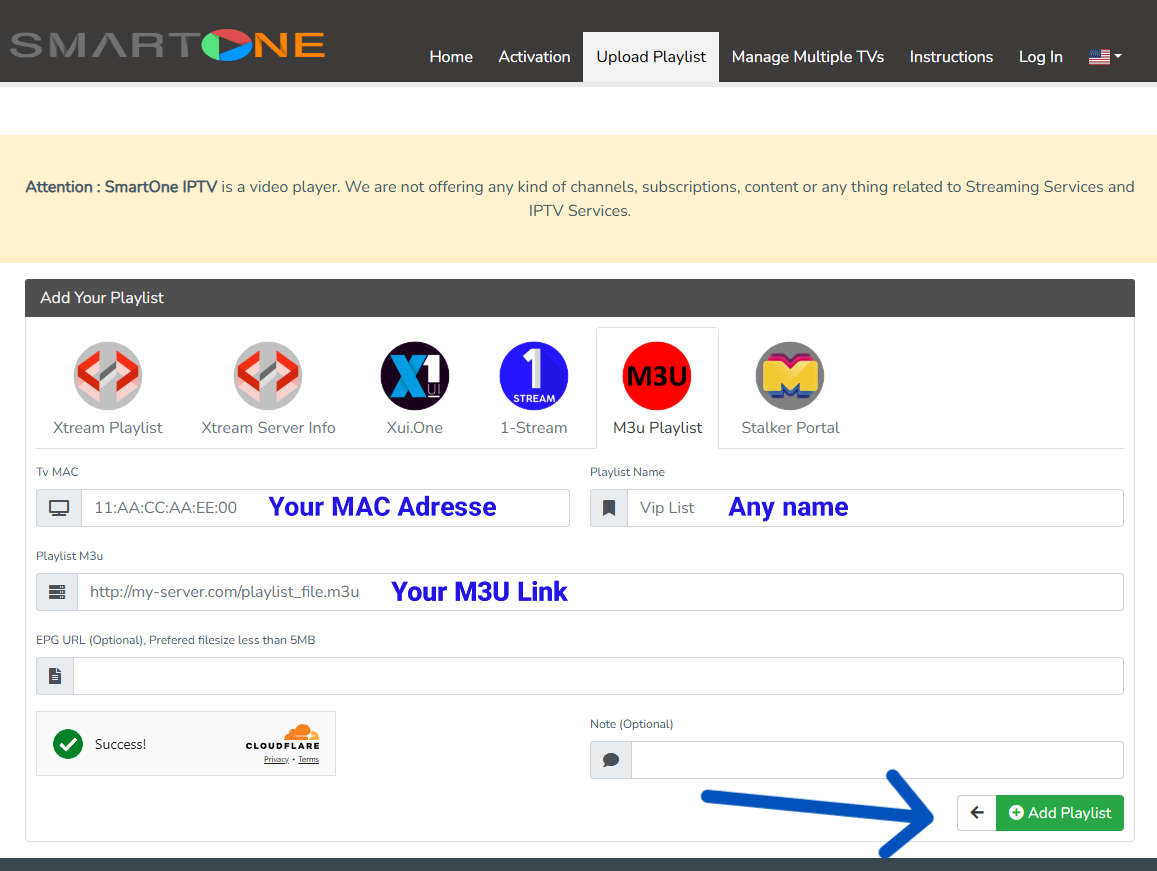
2. Enter your MAC Address.

3. Choose a playlist name.

4. Paste your M3U URL.

5. Click Add Playlist.

Step 5 – Start Watching on Hisense TV

  1. Go back to SmartOne IPTV on your Hisense TV.
  2. Restart the app.
  3. Your channels and VOD content will now load.

🎉 You are now ready to enjoy SmartOne IPTV on Hisense Smart TV.

Why SmartOne IPTV Is One of the Best IPTV Apps for Hisense

Many users search for:

  • best IPTV app for Hisense TV
  • how to install IPTV on Hisense Smart TV
  • Hisense IPTV app

And SmartOne IPTV is one of the top answers because it:

  • Works perfectly on VIDAA OS
  • Has easy MAC-based activation
  • Supports M3U and Xtream Codes
  • Is stable and beginner-friendly

Common SmartOne IPTV Problems & Fixes

🔹 SmartOne IPTV not working

  • Restart the app and TV.
  • Check your internet connection.

🔹 Playlist not loading

  • Make sure your M3U URL is correct.
  • Re-upload your playlist using the generator.

🔹 SmartOne IPTV not loading channels

  • Wait a few seconds after restarting the app.
  • Clear app cache if available.
Request a Free IPTV Trial

Enter your email to request a free IPTV trial.
You will receive a confirmation email to verify your address before we send your trial details.

Newsletter Form (#3)
Support
Live Chat Online

Support & Free Trial

Contact us for technical support
or to request a free IPTV trial.

WhatsApp Support
Fast Support
Telegram Support
Fast Support
Live Chat
Fast Support
Email Support
Slower Response